"Prompt Smarter. Create Better."
Project description
Promptly is an AI powered web platform designed to help users craft, test, and refine high-quality prompts for tools like ChatGPT, Midjourney, and Gemini. Built for both beginners and experienced creators, the platform combines intuitive UX with intelligent guidance to eliminate the guesswork from prompt engineering.
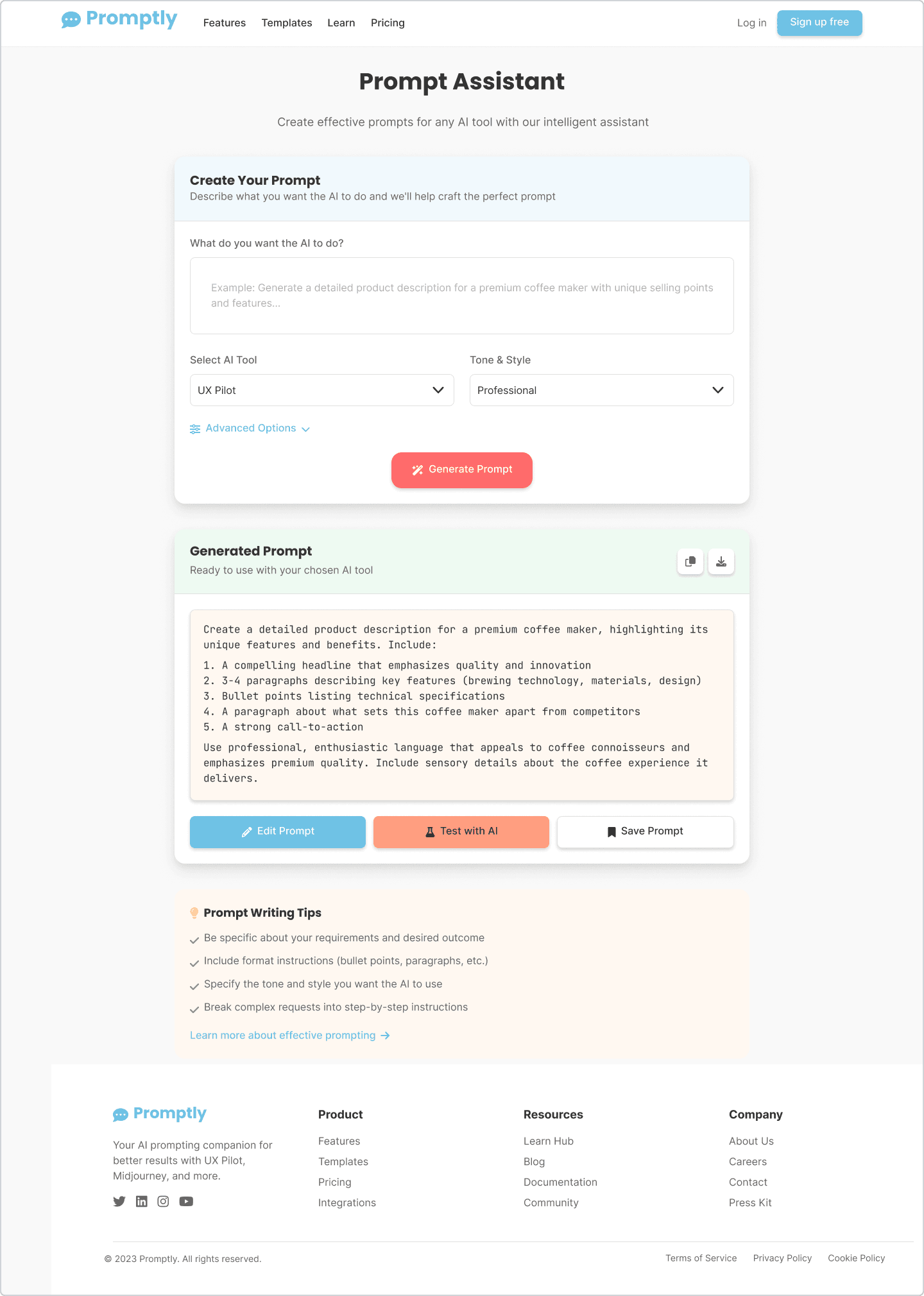
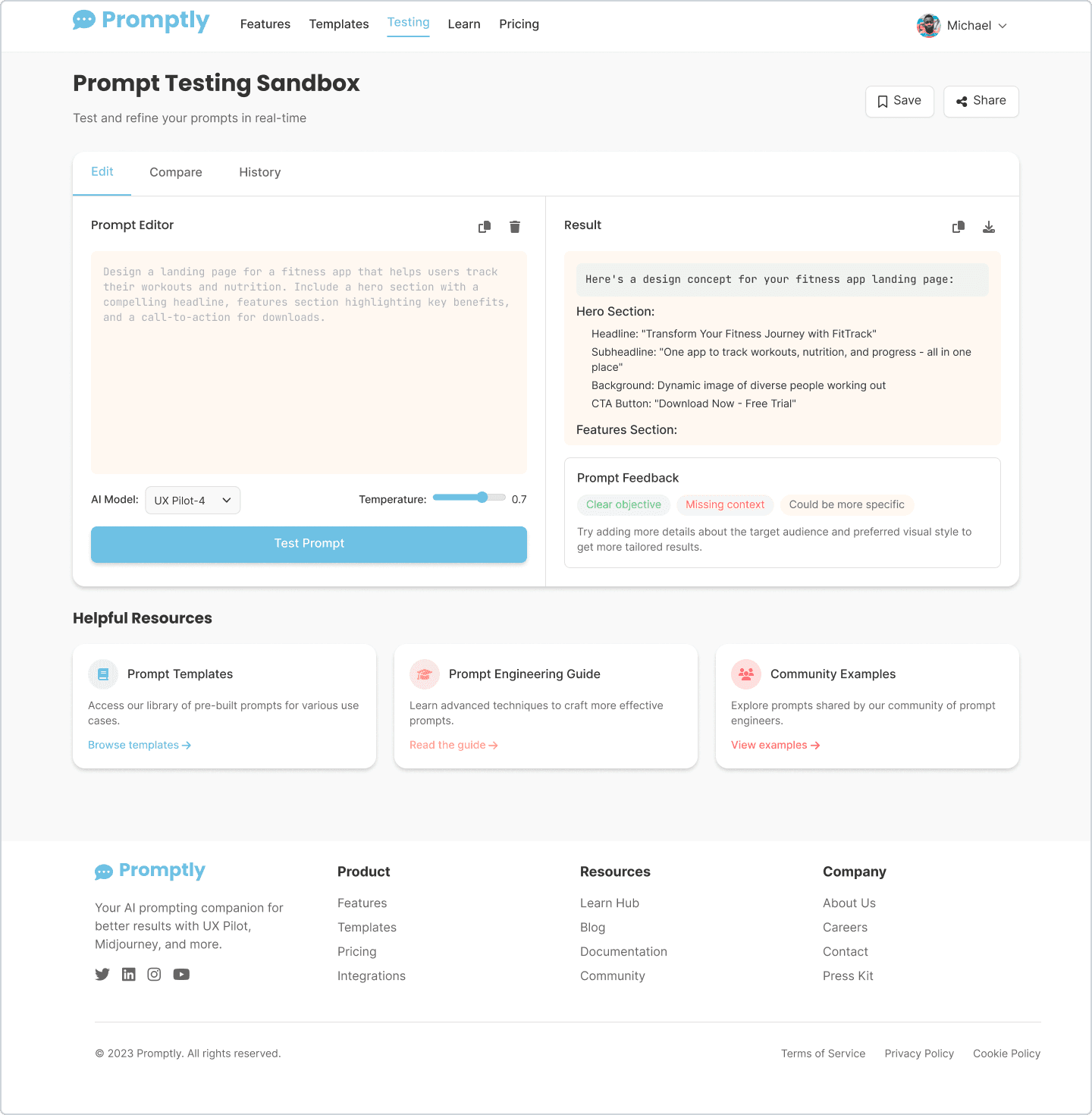
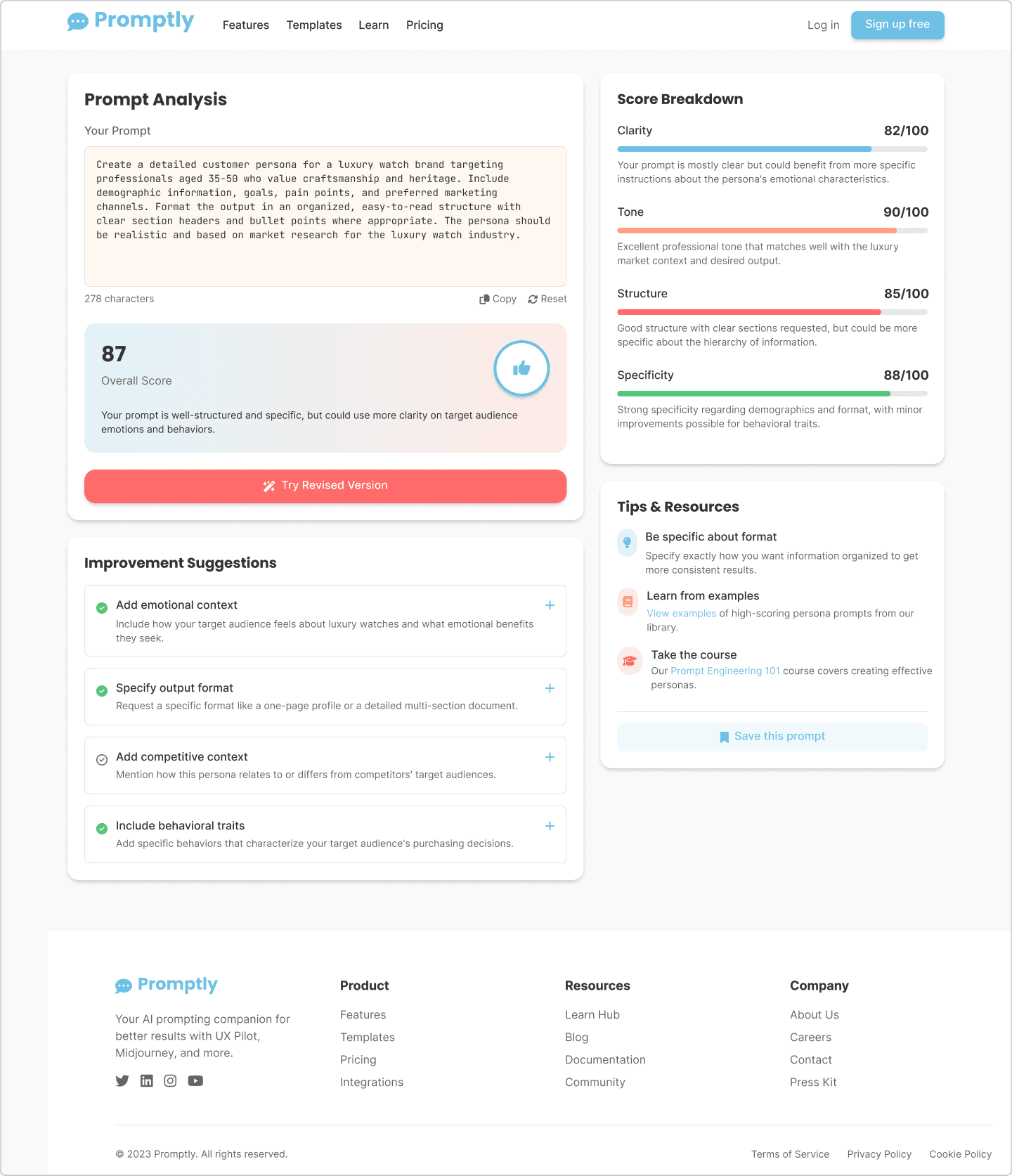
The project was driven by a growing need for users to interact more effectively with AI systems. While many struggle to write prompts that yield accurate or creative results, Promptly bridges that gap by offering features like an AI-powered Prompt Assistant, real time prompt scoring, and a hands-on sandbox to test outputs.
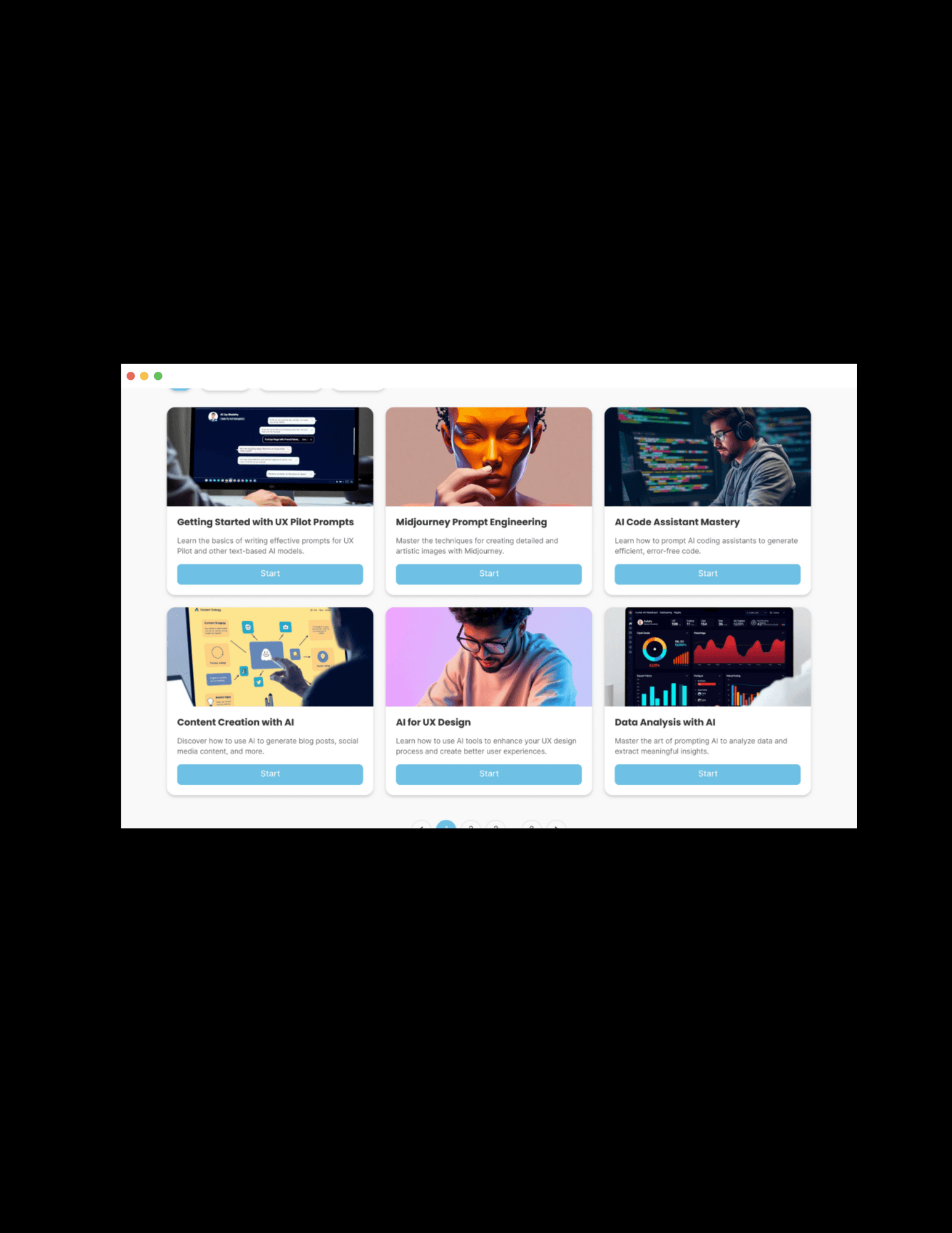
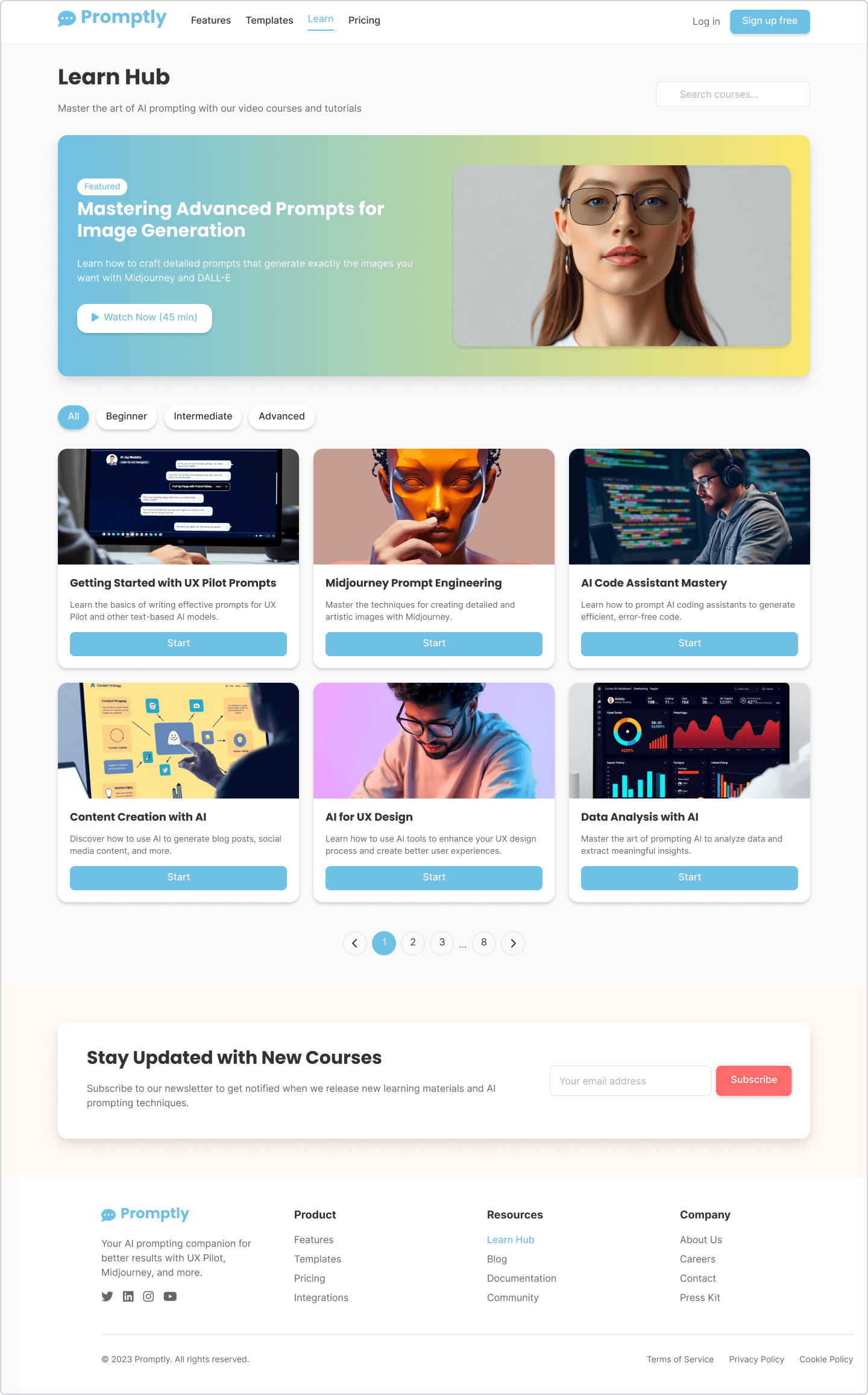
The platform also includes a Learn Hub a dedicated space for video tutorials, micro-courses, and cheat sheets that teach users the art and science of prompt writing. From guided workflows to personalization tools, Promptly empowers users to “prompt smarter, create better.”
Time Line
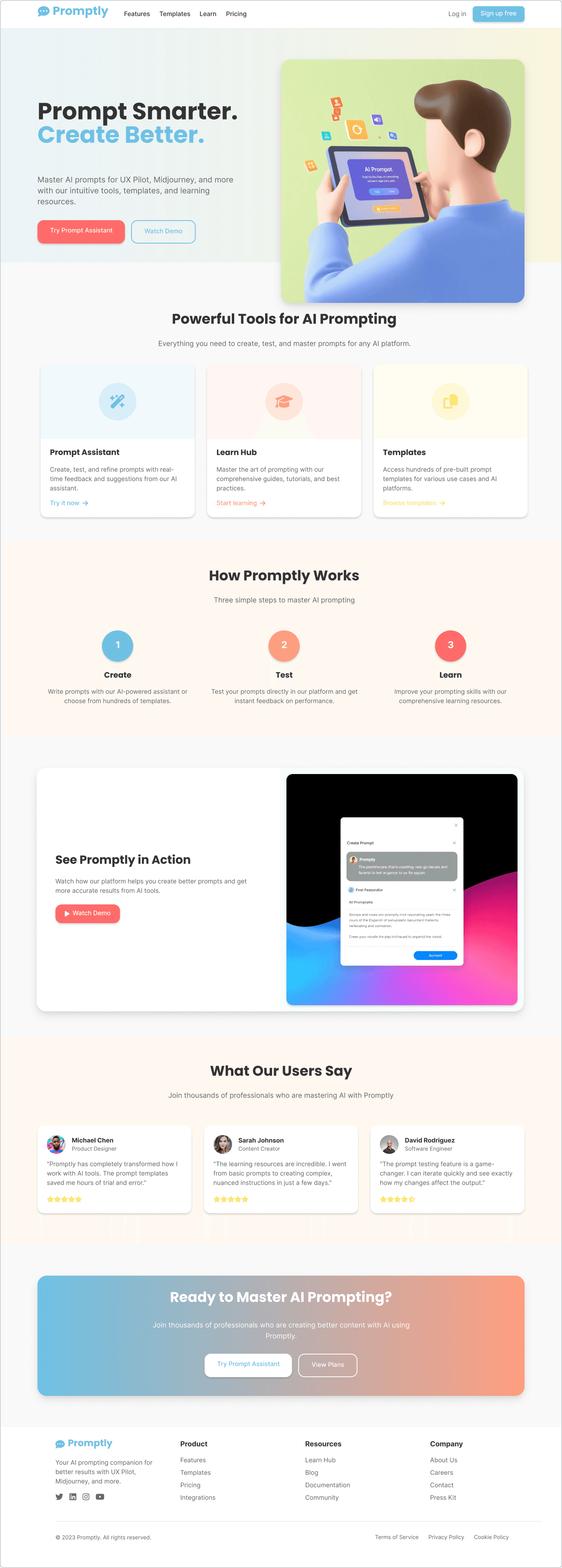
Promptly was designed and developed over a focused five-week sprint to create a vibrant, intelligent, and accessible prompt engineering platform. The process began with user research to uncover frustrations with unclear prompts and the need for better guidance. I then defined key personas and mapped their journeys to shape features like the Prompt Assistant and Learn Hub. Wireframes and flows were sketched with an emphasis on clarity and simplicity. In the fourth week, I designed high-fidelity mockups with a soft, colorful visual style that felt friendly and modern. Finally, I polished the responsive layouts, refined microinteractions, and assembled the full case study to reflect a UX-first, future forward AI experience.
Problem
As generative AI tools like ChatGPT, Midjourney, and Gemini become mainstream, users across industries are eager to harness their power. But most people struggle to write effective prompts that produce consistent, high quality results. Without proper structure or guidance, users rely on guesswork leading to vague outputs, frustration, and wasted time. Even experienced users often resort to trial and error, lacking a clear way to evaluate or improve their prompts.
Despite the growing use of AI, there's a major gap: the tools are powerful, but the interface between user and machine the prompt is often neglected. There’s no system in place to teach prompt writing, suggest improvements, or give feedback. What users need is not just an AI tool, but a companion that helps them craft better prompts, understand how and why they work, and build the skill over time. Promptly was created to fill this gap blending guidance, learning, and AI assistance into one seamless experience.
Process
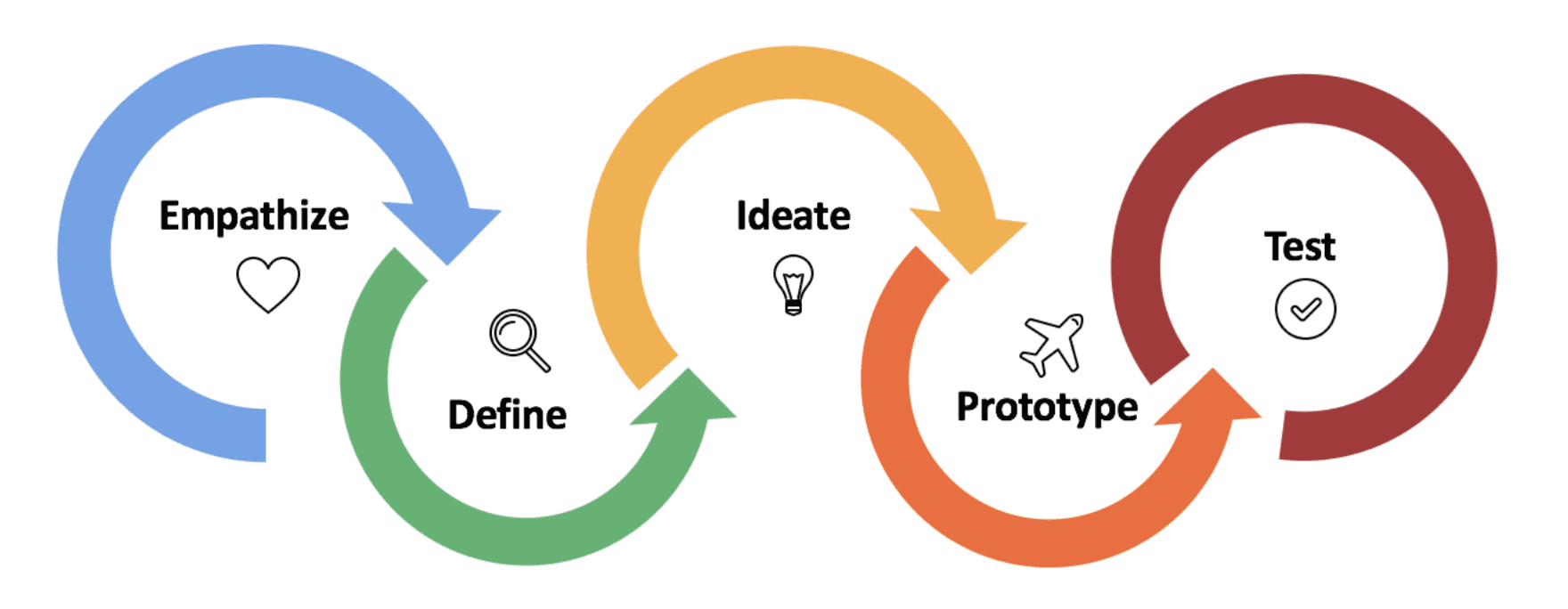
The design of Promptly followed a structured UX process rooted in clarity, learning, and assistive intelligence. Each phase was focused on solving real user struggles around prompt writing while keeping the experience welcoming, educational, and empowering.
Empathize
Started with qualitative research by engaging with users of AI tools like ChatGPT and Midjourney. Conversations revealed confusion around prompt clarity, lack of structure, and a strong desire for guided help and learning resources.
Define
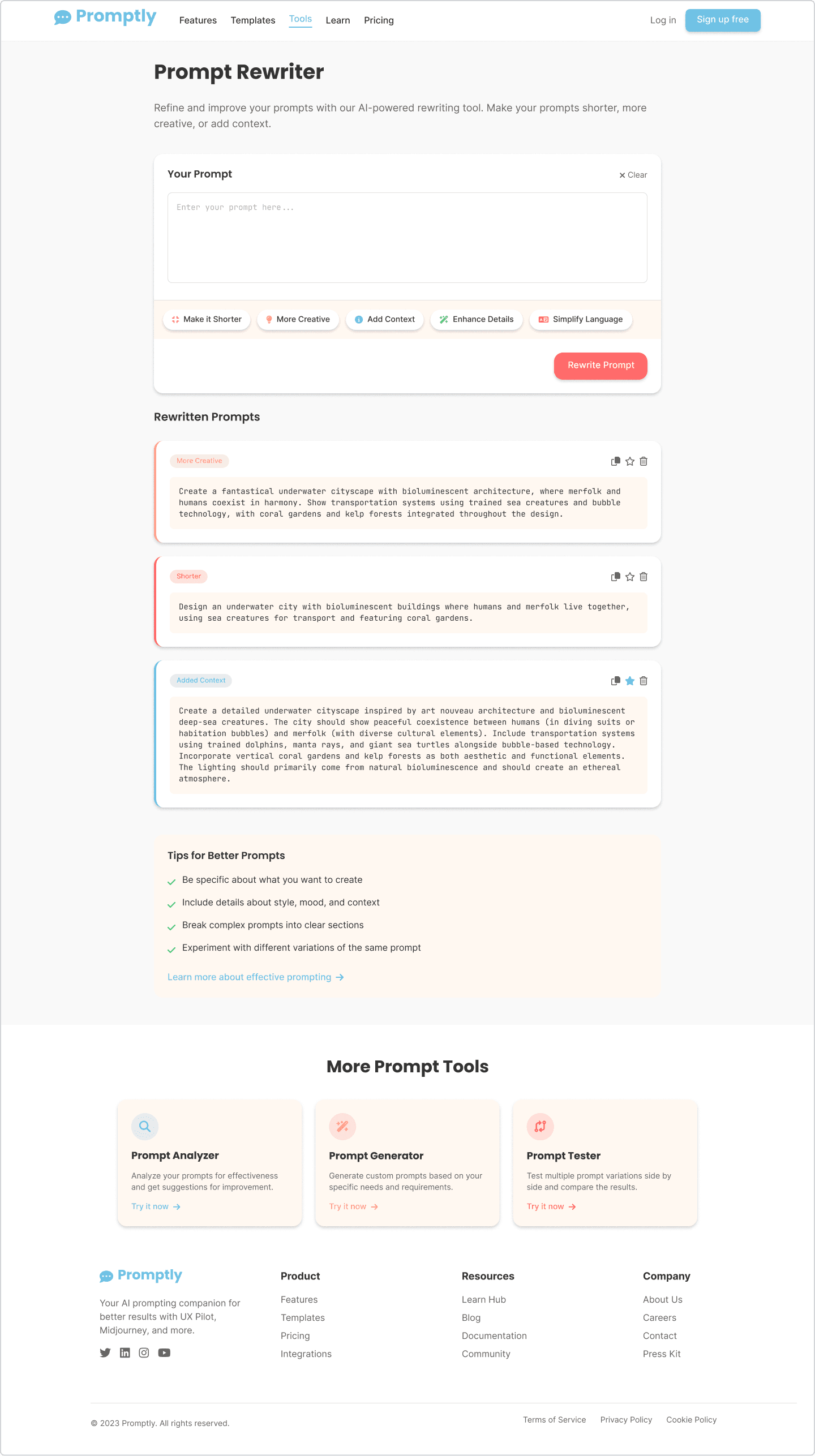
Synthesized insights to identify the core problem: users need a simple, smart, and interactive way to write, refine, and understand prompts. This formed the foundation for key features like the Prompt Assistant, Rewriter, and Learn Hub.
Ideate
Brainstormed tools like guided prompt builders, real time scoring, prompt previews, and a sandbox for testing. Sketched layouts that minimized cognitive load while encouraging exploration and creativity.
Prototype
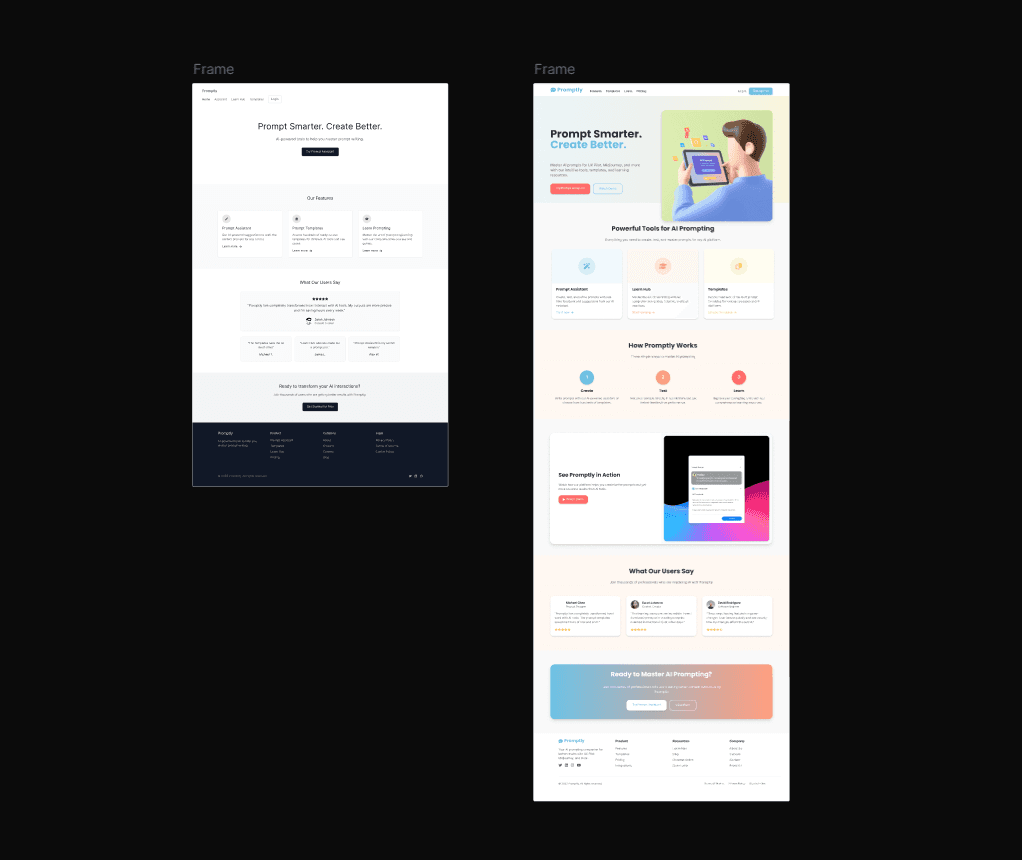
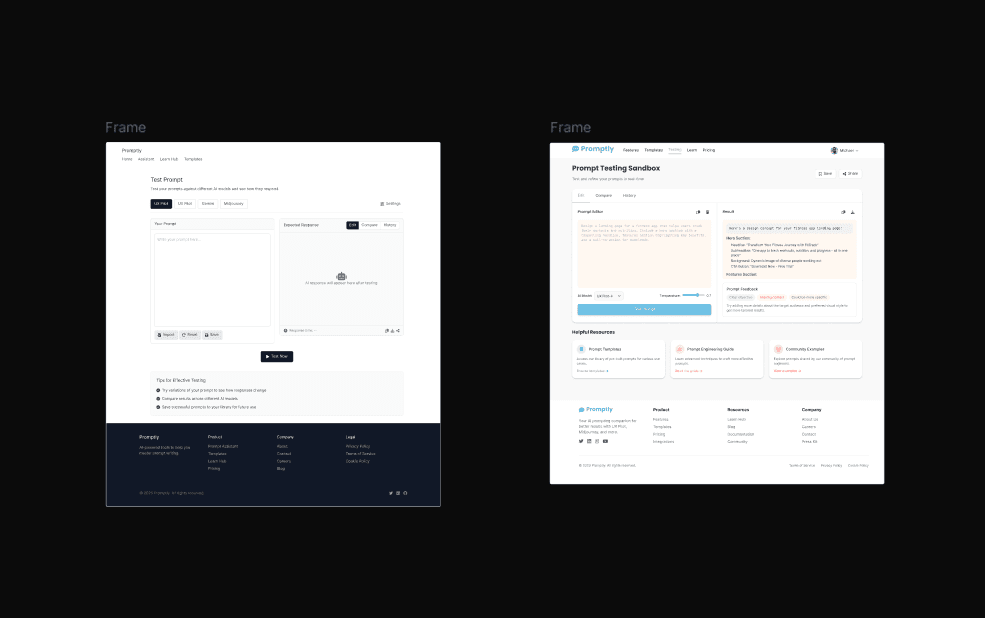
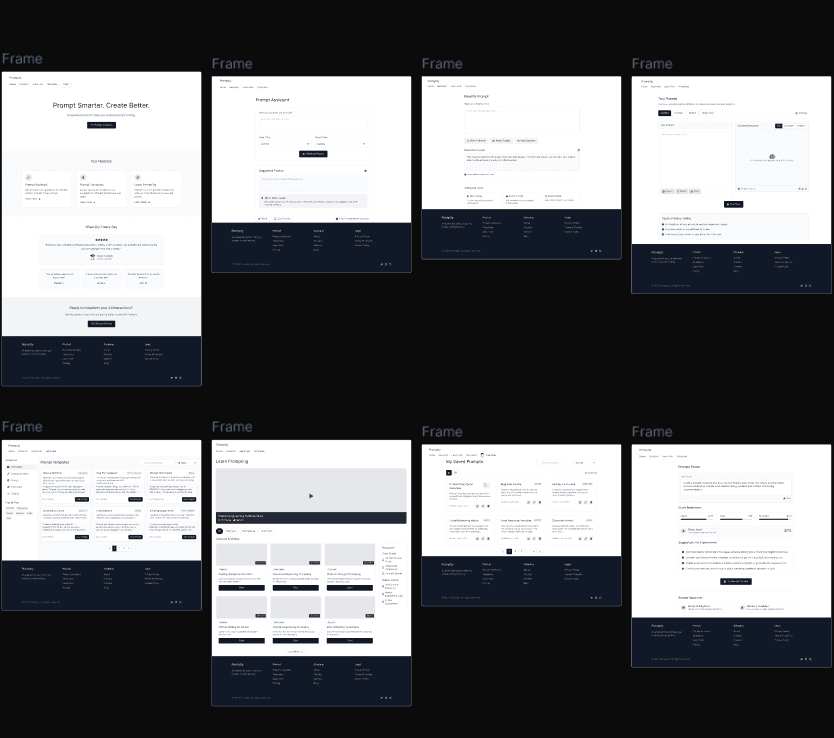
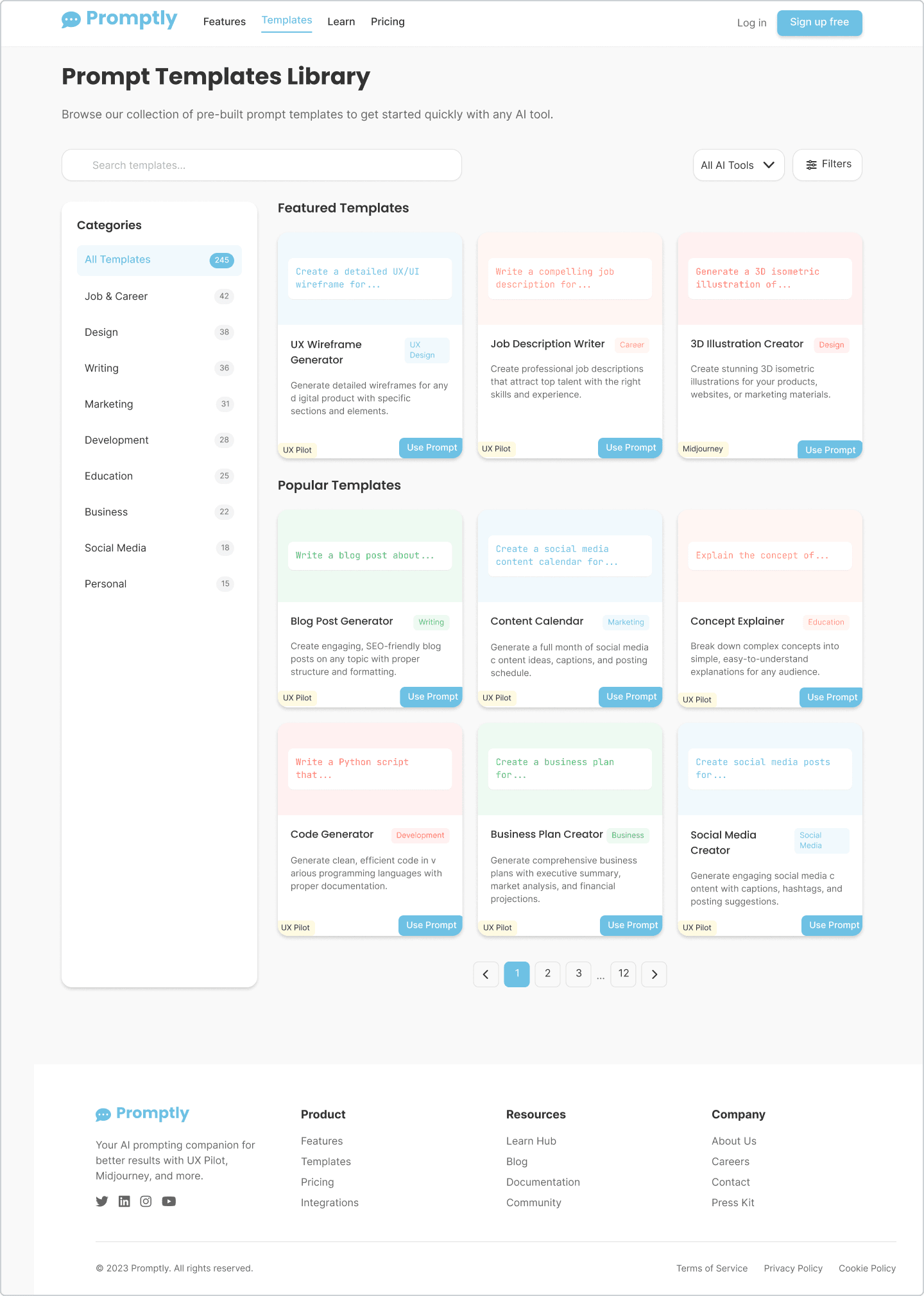
Created wireframes and high-fidelity prototypes with a soft, colorful UI avoiding dark, tech-heavy tones. Focused on building intuitive flows for writing prompts, receiving feedback, and learning prompt techniques in context.
Test
Conducted usability tests and feedback sessions with peers and target users. Iterated on areas like prompt preview clarity, assistant flow, and lesson engagement. Improvements focused on ease of use, educational value, and overall confidence building for users.
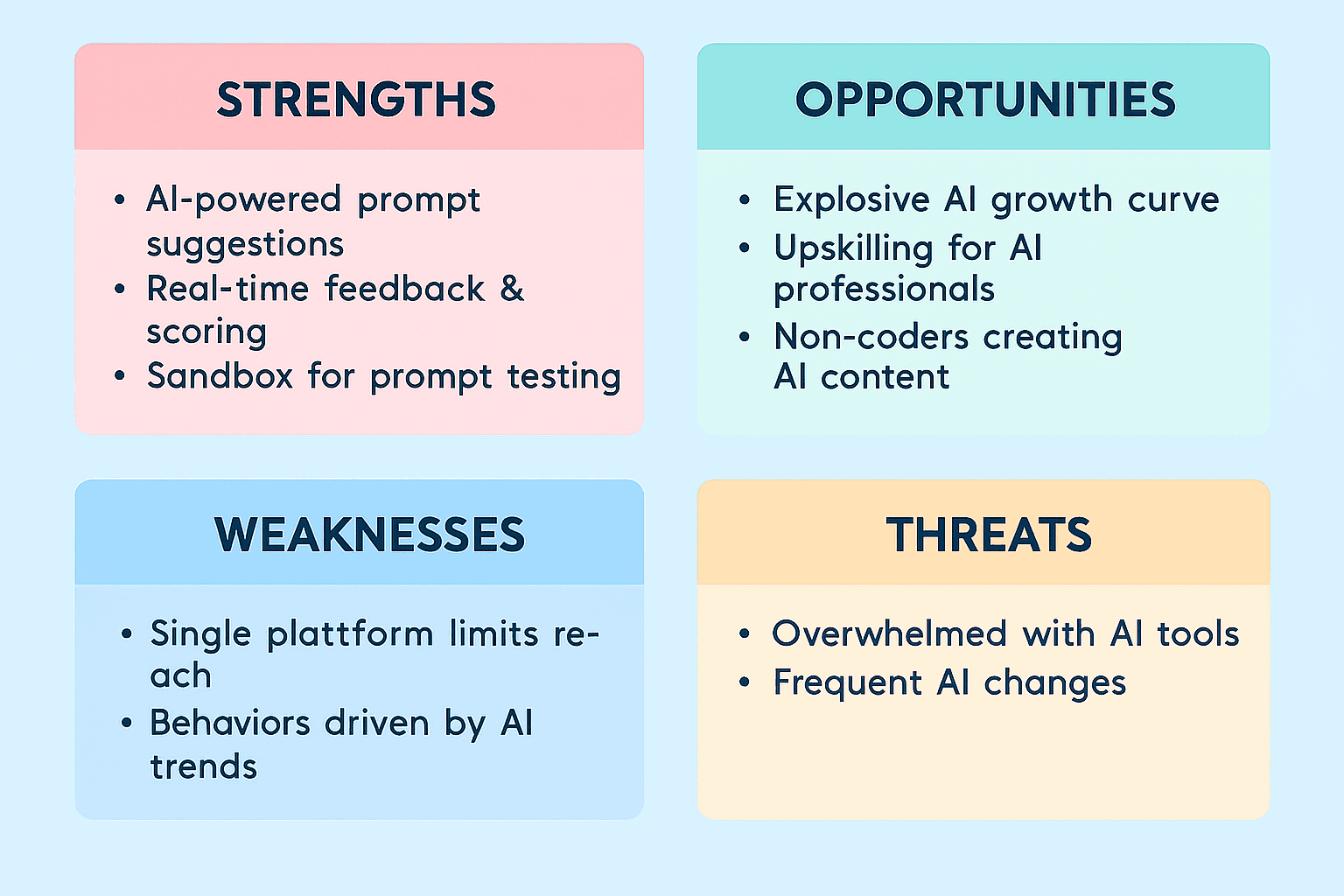
SWOT Analysis
User Surveys & Interviews
To shape a user centered design for Promptly, I conducted both surveys and in depth interviews with individuals who frequently use generative AI tools like ChatGPT, Midjourney, and Gemini. The goal was to understand their current prompting habits, challenges, and expectations from an assistive prompt building experience.
The surveys collected quantitative data on how users write prompts, what they struggle with most, and how often they feel satisfied with the AI’s responses. The interviews revealed deeper behavioral patterns including frustration with inconsistent results, confusion about formatting, and a desire for prompt feedback or examples.
Participants consistently expressed that they often guess or copy prompts from random sources online and rarely know why some work better than others. These insights directly shaped Promptly’s core features such as guided prompt creation, real time scoring, and the Learn Hub to build user confidence and prompt mastery.
User Takeaways
Through surveys and interviews, users revealed a strong sense of frustration with writing prompts for AI tools. They described feeling unsure about what to type, overwhelmed by inconsistent results, and confused about why some prompts worked while others didn’t.
Most users wanted a more guided, educational experience one that not only helps them generate prompts but also explains how to improve them over time. Clarity, structure, and real time feedback were considered more valuable than generic prompt libraries or random examples found online.
These takeaways emphasized the need for a smart, supportive platform that empowers users to write better prompts with confidence guiding the foundation of Promptly’s assistive and educational design approach.
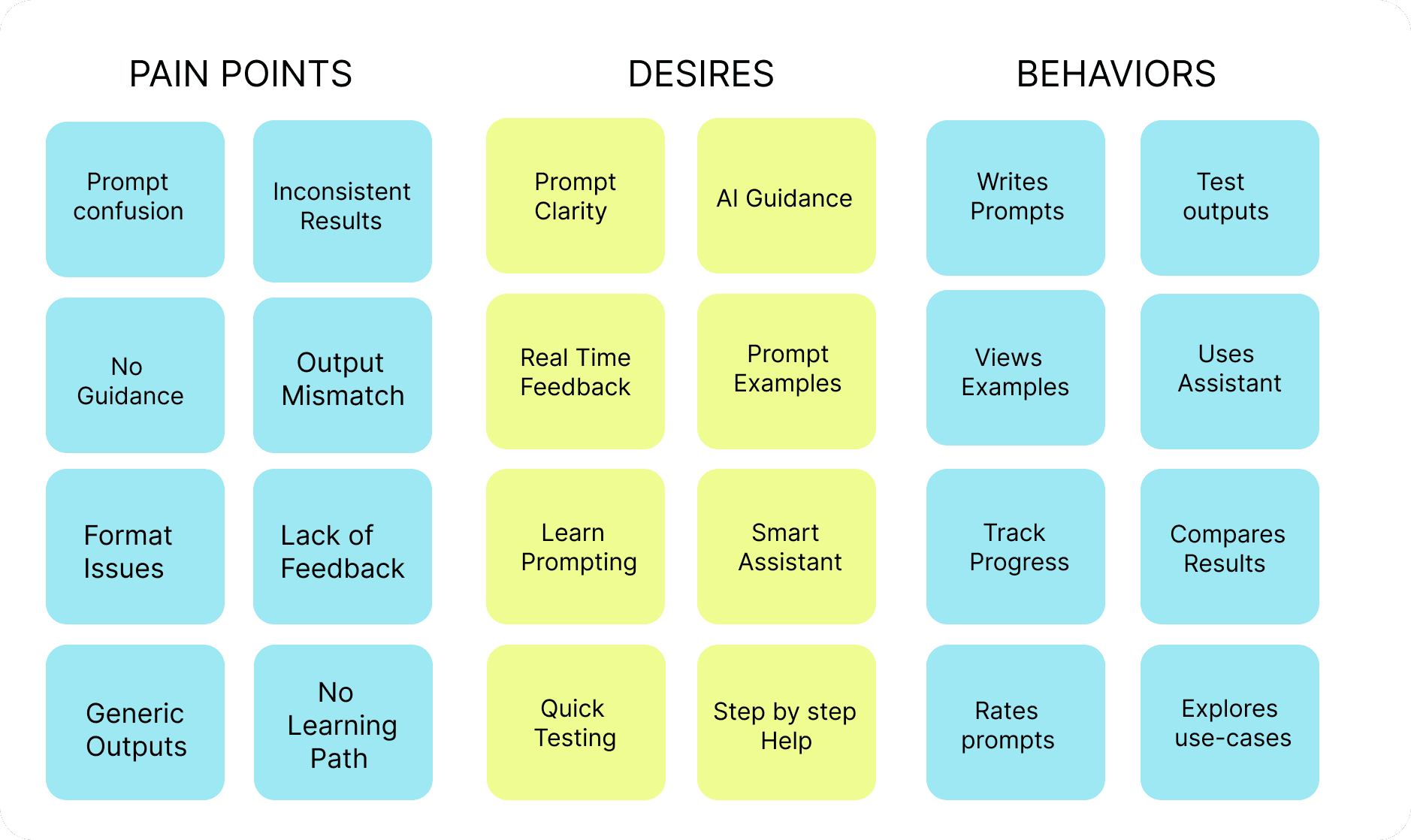
Card Sorts and Affinity Mapping
To shape Promptly’s information architecture, I conducted open card sorting sessions with users familiar with AI tools. Participants grouped various prompt related labels such as “Summarize,” “Design Feedback,” “Resume Builder,” and “Creative Writing” based on their personal workflows and task categories. This revealed how users naturally think about and organize different prompt types.
Following the card sort, I used affinity mapping to cluster qualitative feedback from surveys and interviews. Common insights like “I’m not sure how to phrase it,” “AI gives vague results,” and “I just copy prompts from Reddit” were grouped into broader themes like uncertainty, inconsistency, and lack of guidance.
These exercises shaped the design of Promptly’s prompt templates, learning sections, and assistant categories ensuring users could easily access what they need without confusion, and helping them feel supported throughout the prompt creation process.
Meet the User Persons & User Journeys
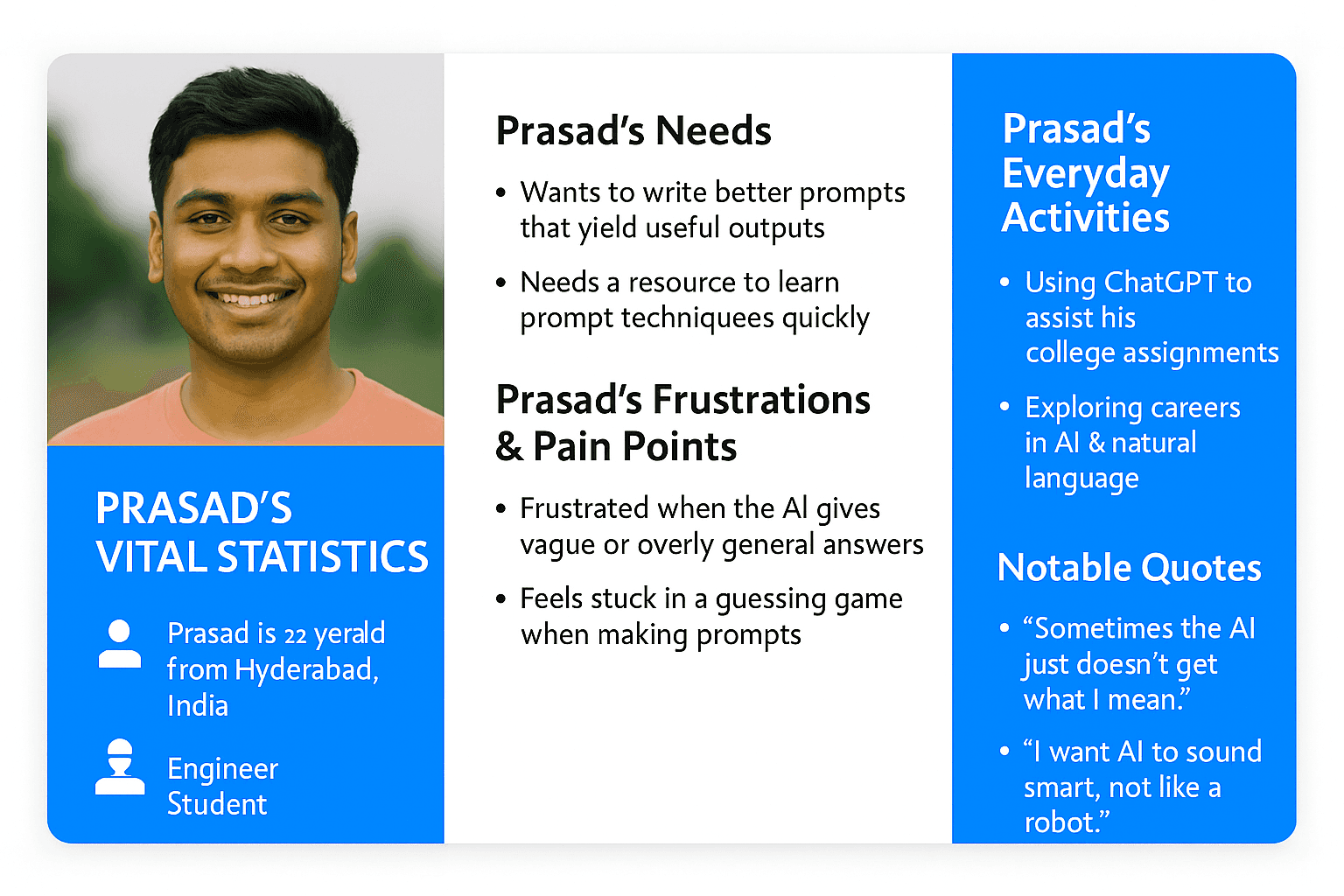
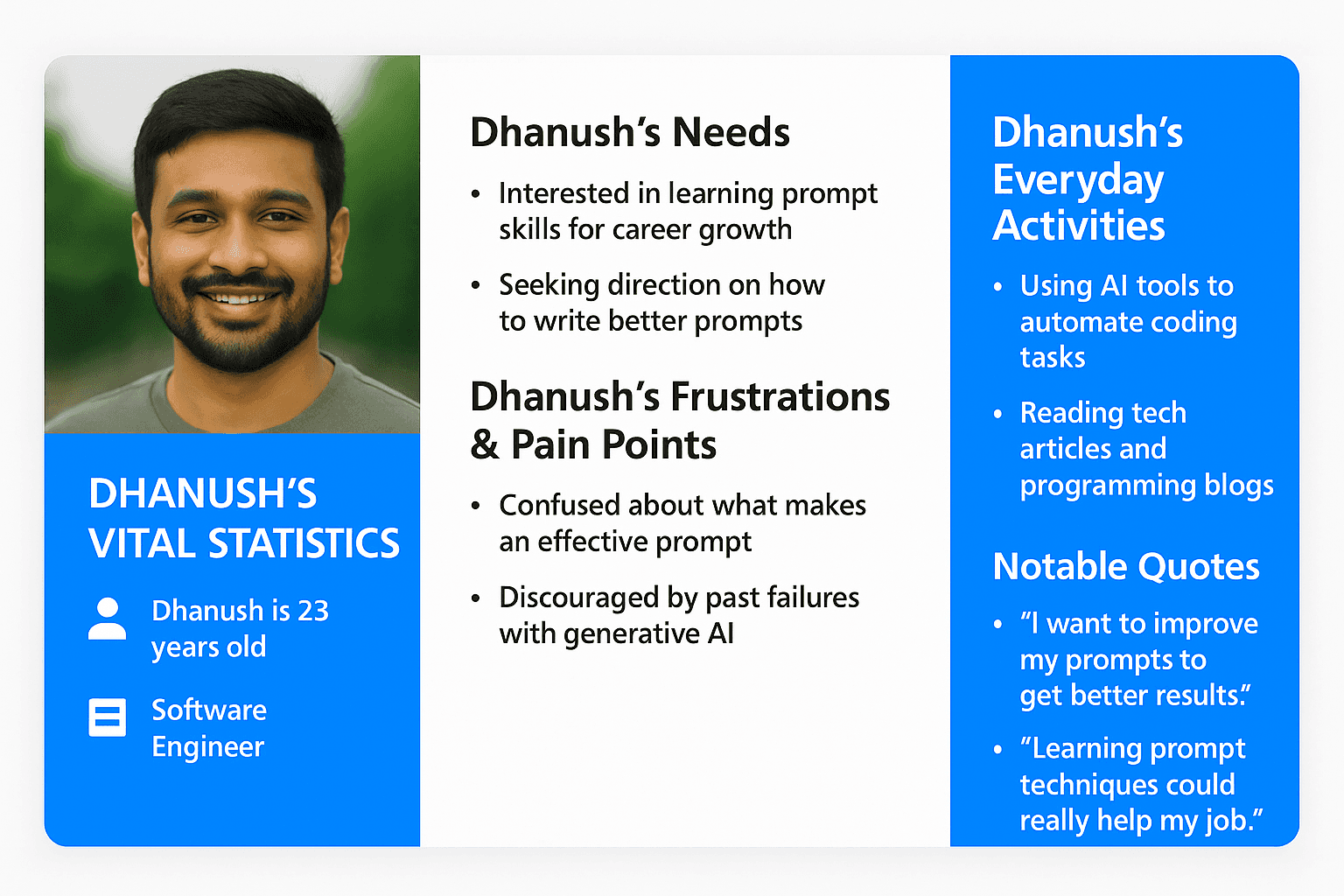
To guide the design process, I created user personas based on insights from surveys and interviews. These personas represented a range of users from beginners curious about AI tools to experienced users looking to write better prompts with less effort. Each persona reflected different goals, behaviors, and frustrations with current prompting experiences.
The personas revealed challenges such as confusion about how to start, lack of confidence in prompt structure, and the desire for clear, guided support. These insights directly influenced key features like the Prompt Assistant, prompt templates, and the educational Learn Hub.
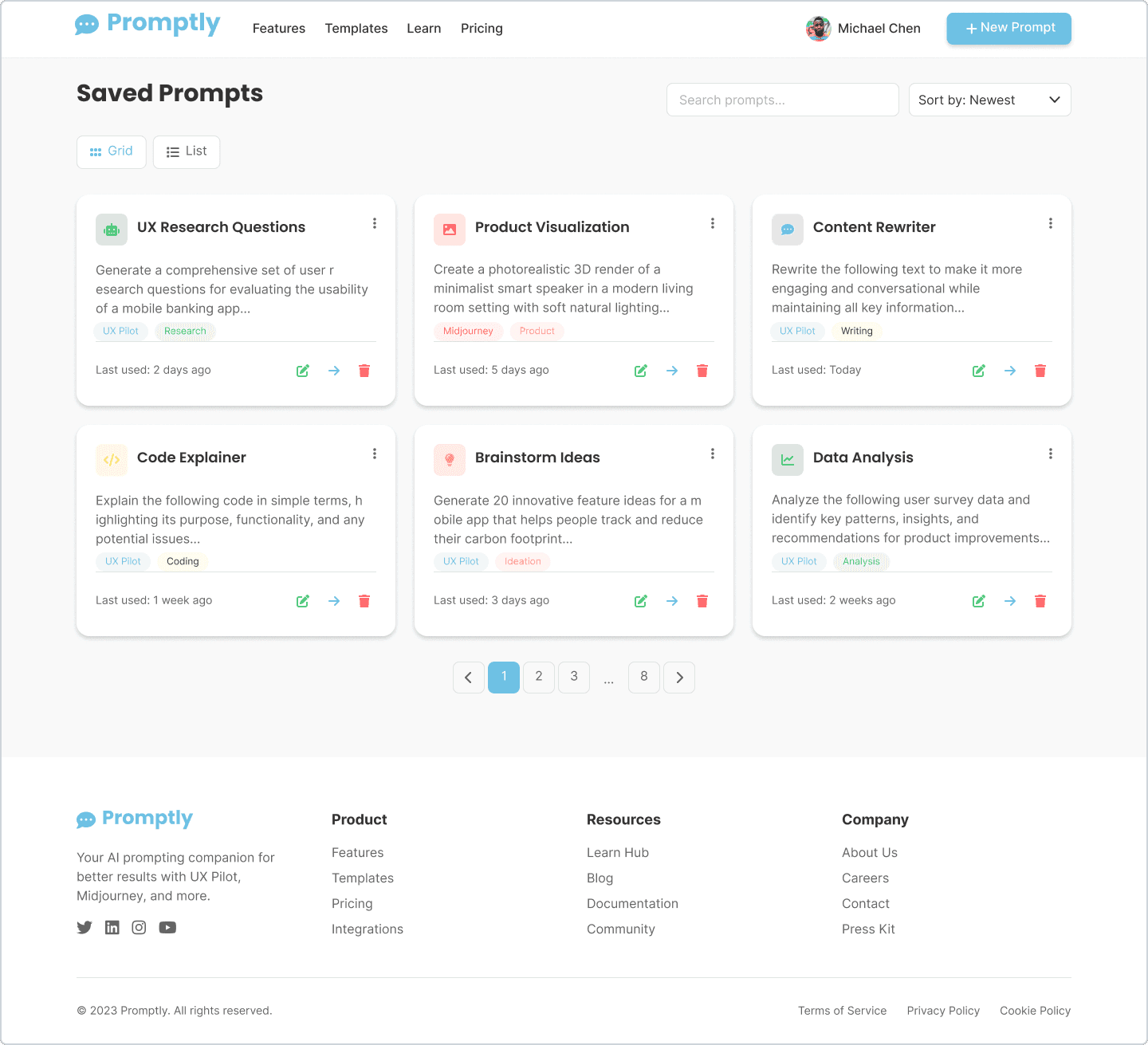
I also mapped out their user journeys to visualize how each persona would interact with Promptly from landing on the homepage to testing their prompts and saving results. This helped ensure that the experience was intuitive, supportive, and tailored to different levels of prompting expertise.
Usability Testing
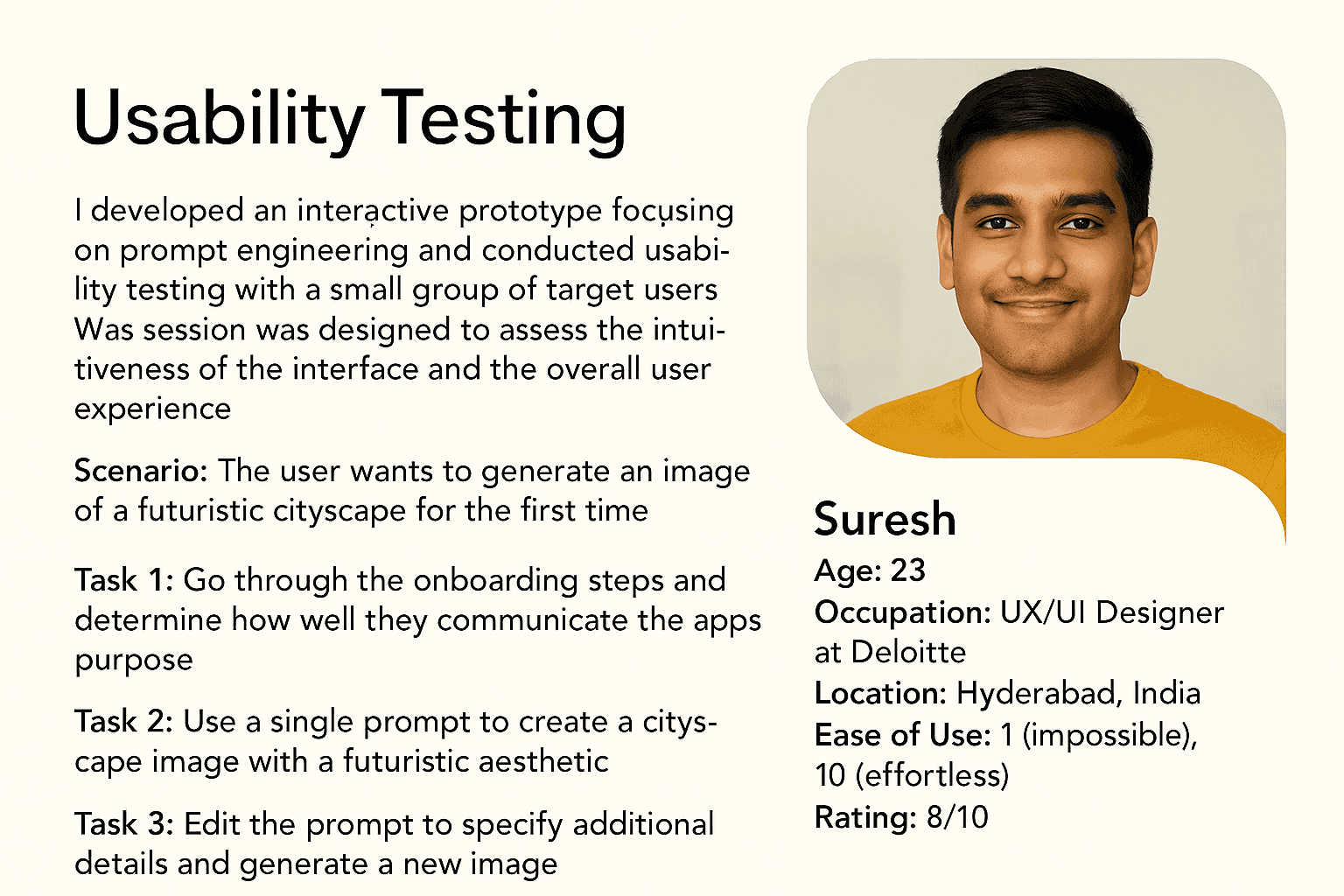
After testing the initial prototype with users, I gathered valuable insights on their behavior and expectations when interacting with AI prompt tools. Participants were asked to complete tasks like generating a prompt with the assistant, testing it in the sandbox, and exploring the Learn Hub for tips.
Users appreciated the clean interface, guided flows, and the helpful feedback after submitting prompts. However, some felt unsure about the assistant’s suggestions and wanted clearer explanations on how prompts were scored or improved.
These takeaways helped refine the interface improving clarity in the assistant's responses, adding tooltips for scoring explanations, and streamlining the Learn Hub layout. The result was a more confident, educational, and supportive experience for users of all skill levels.
Results
The final outcome of Promptly was a functional prototype that delivered a clean, supportive, and intelligent prompt engineering experience. Features like the Prompt Assistant, testing sandbox, and Learn Hub were well received during usability testing.
Users appreciated the intuitive layout, vibrant visuals, and how the platform guided them through prompt creation with confidence. They especially found value in the prompt rewriting tool and the clarity of the feedback system.
One small issue was that some users expected deeper AI output previews, which I plan to explore further in future iterations. Overall, this project helped me grow in designing educational tools, simplifying complex interactions, and creating user-first AI experiences that empower and inform.
What Promptly Taught me
Promptly taught me the importance of designing for clarity, confidence, and learning. I realized that simplifying complex tools like AI isn’t just about clean UI it’s about building trust and empowering users with the right guidance at the right time.
From user research to prototype testing, I learned how crucial it is to educate through design and support users without overwhelming them. This project strengthened my skills in system thinking, AI-integrated workflows, and designing intuitive learning experiences reminding me that great UX is about enabling people to grow and create with confidence.
Paper Wireframes

Digital Wireframes
High - Fidelity Screens
Tools Used